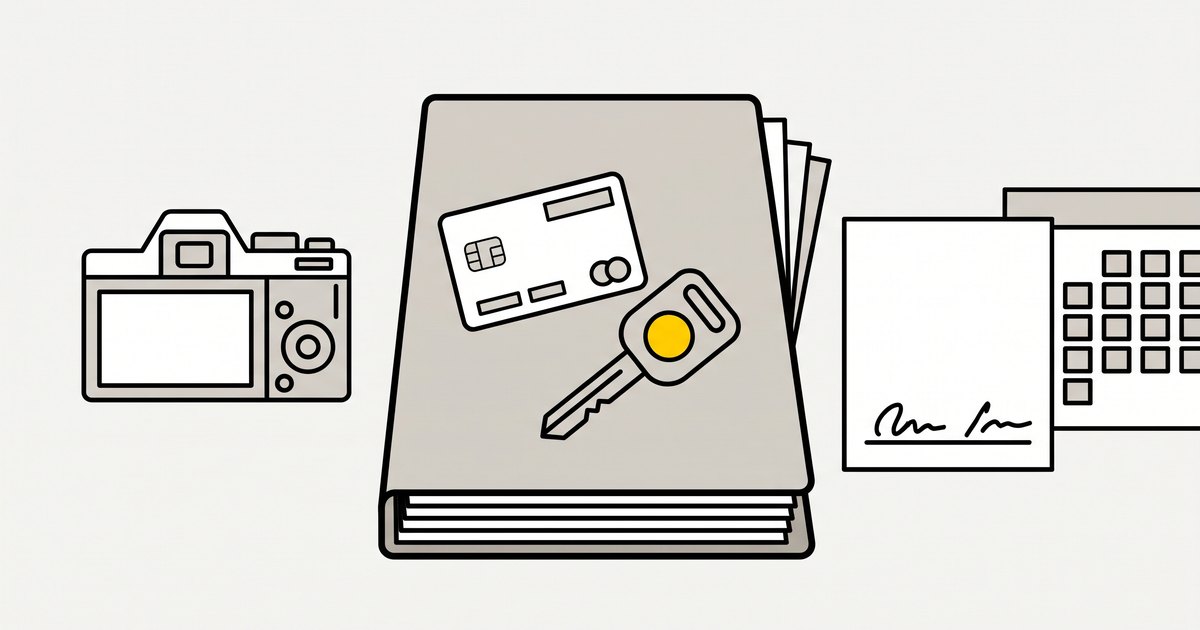
Short answer: A car rental chargeback is won or lost on evidence you collected before the dispute existed: a signed agreement showing the terms and charges, ID that matches the cardholder, timestamped photos at check-out and check-in, and a clear record of every payment. When a dispute arrives, you usually have 7 to 21 days to respond, depending on the card network, so the evidence must already be on file. Match it to the dispute reason, because a fraud claim and a "not as described" claim need different proof.
This guide builds the evidence pack step by step through a rental, maps it to the reason families Visa and Mastercard use, and covers the charge operators lose most often: damage billed after the car comes back.
General information, not legal or financial advice. Card network rules and consumer law change and vary by country, so check specific cases with your payment provider and your lawyer.
Key takeaways
- Build the pack before you need it. Agreements, ID, photos and payment records gathered at the time are worth far more than anything assembled after the dispute arrives.
- Read the reason code first. Fraud, not as described, canceled and processing-error disputes each need different evidence.
- Damage charged after the return is the riskiest charge you make. Agree it in the contract, show it in photos, invoice it before you charge.
- Respond to every inquiry and every dispute you intend to fight, before the deadline. Silence usually means you lose.
- Prevention is cheaper than winning: a recognizable statement name, receipts, and a policy shown before payment stop many disputes.
How a chargeback unfolds
The timings below come from Stripe's guide to how disputes work. Other processors follow the same card network rules, with their own fees.
| Stage | Typical timing | What happens | What you do |
|---|---|---|---|
| Cardholder disputes | Usually within 120 days of payment; for a future service, the window can start on the service date | Bank opens a dispute with a reason code | Nothing yet, unless you see an early fraud warning |
| Chargeback | Immediately | Disputed amount plus a dispute fee taken from your balance; no refunds outside the dispute | Read the claim and the reason |
| Your response | Usually 7 to 21 days, by network | You submit evidence or accept | Send one organized pack |
| Bank decision | Usually 60 to 75 days after your response | Issuer rules for you or the cardholder | Wait; nothing speeds it up |
| Outcome | 2 to 3 months in total | Funds returned if you win | Record the result and learn from it |
Stripe also notes that the fee for receiving a dispute is not refunded outside Mexico, even if you win. Some networks, mainly American Express and Discover, start with an inquiry, a request for information before a formal chargeback. Answer it: Stripe warns that an unanswered inquiry can turn into a chargeback you cannot win.
Dispute reasons and the evidence that answers them
Card networks use hundreds of reason codes. Stripe groups them into categories and publishes the mapping of Visa and Mastercard codes. These are the families that matter for car rental:
| Family | Visa codes | Mastercard codes | Car rental example | Evidence that answers it |
|---|---|---|---|---|
| Fraud | 10.1 to 10.5 (10.4 for card-absent fraud) | 4837 No Cardholder Authorization | "I never rented a car" | Signed agreement, ID matching the cardholder, pickup signature, 3D Secure result, earlier undisputed rentals on the same card |
| Not received or not as described | 13.1, 13.3, 13.5 | 4853, 4855 | "The car was never delivered", "the car was dirty and broken" | Check-out photos, signed condition record, mileage and fuel log, messages with the renter |
| Canceled or credit not processed | 13.6, 13.7 | 4860 | "I canceled and was still charged" | Cancellation policy as shown before payment, time the cancellation was received, any refund already made |
| Processing error or amount | 12.5, 12.6.1 and other 12.x codes | 4834, which includes charges for loss, theft or damages | "Charged twice", "charged for damage I did not cause" | Itemized invoice, agreement clause allowing the charge, check-in comparison photos, notice sent before charging |
| Authorization | 11.1 to 11.3 | 4808 (Stripe files both under General) | A later charge made without a valid authorization | Approval record for that exact charge, and the clause allowing it |
Fraud disputes are the hardest to win, Stripe says, because the claim is often true. That makes prevention, and authentication with 3D Secure, more valuable than any response.
The evidence pack, built from check-out to check-in
- At booking: keep the terms, cancellation policy and price breakdown exactly as the renter saw them before paying, with the date. Keep the renter's email, phone and booking confirmation.
- At pickup: copy the driver's license and ID, and confirm the name matches the card. Get a signature on an agreement that lists the rental price, the deposit, and every charge that may be added later: fuel, mileage, late return, tolls, damage.
- Before the keys move: take timestamped photos of every panel, the wheels, the interior, the fuel level and the odometer. Have the renter sign or acknowledge the condition record.
- During the rental: keep extension requests, complaints and your replies in writing.
- At return: take the same photos from the same angles, and compare them with check-out side by side. Record fuel and mileage, and note who was present.
- After return: for any extra charge, send the renter an itemized invoice with photos and repair estimates before you charge, and give them a chance to reply. Keep the receipt for every payment and refund.
Our vehicle damage claims guide covers the damage side of this record in more detail.
Damage charged after the return
This is where operators lose most often. The renter paid the rental; weeks later a separate damage charge appears on the statement, and they dispute it. To defend it:
- Agree it in advance. The signed agreement should say the renter is responsible for damage during the rental, how it is assessed, and that it may be charged to the card on file.
- Prove the change. Side-by-side photos from check-out and check-in, timestamped, are the core of the case. A photo taken only at return proves nothing about when the damage happened.
- Show the amount is real. Attach the repair estimate or invoice, not just a round number.
- Give notice first. Send the invoice and photos before charging, and keep the renter's reply.
- Check the card rules before you charge. Card networks treat damage charged after a rental as a special case: Stripe's mapping lists a Mastercard condition for "charges for loss, theft, or damages" under reason code 4834, and a Visa compliance category for delayed or amended charges. Check your processor's and the card networks' rules: damage charged after a rental often has to be a separate transaction, with documentation and notice to the renter, rather than a quiet capture from the deposit hold. Our guides to managing deposits and security holds and hold expiry and extended authorization cover how the holds themselves work.
How to respond to a dispute
- Find the reason category and code. Your evidence must answer that claim, not the one you expected.
- Decide whether to fight. If the amount is small and the evidence is weak, accepting may cost less than your time. If the renter is right, refund and fix the process.
- Write a short cover note. One page: who rented, what was agreed, what happened, why the charge is valid, with references to each attachment.
- Attach only relevant, labeled evidence: agreement, ID, photos with dates, invoice, messages, payment records.
- Submit before the deadline, through your payment provider's dashboard.
- Record the outcome and change the step that let the dispute happen.
Worked example: one damage dispute, two evidence packs
A renter returns a car with a cracked bumper. The operator charges $480 for the repair after the return. Three weeks later the renter disputes it as "not authorized". All figures are our assumptions.
| Evidence | Operator A | Operator B |
|---|---|---|
| Signed agreement with damage clause | No, only a booking confirmation | Yes, e-signed at pickup |
| Check-out photos of the bumper | None | Timestamped, undamaged |
| Check-in photos | One photo of the crack | Same angles, crack visible, compared side by side |
| Repair estimate | No | Yes, $480 from a body shop |
| Notice before charging | No | Invoice and photos sent before a separate $480 charge; renter did not reply |
| Likely outcome | Hard to win: nothing shows when the damage happened or that the charge was agreed | Strong case: agreement, before and after, amount and notice |
Operator A risks losing the $480 plus the dispute fee and still paying for the repair. Operator B spends perhaps 20 minutes assembling the pack, because every item already exists.
Chargeback prevention checklist
- Statement descriptor shows the business name renters know
- Receipts sent for every payment, refund and deposit capture
- Price, deposit and extra charges shown before payment and in the signed agreement
- Cancellation policy shown at checkout and applied exactly as written
- ID checked against the cardholder at pickup
- Check-out and check-in photos from the same angles, timestamped
- Damage invoiced with photos and an estimate before any charge
- Damage charged the way your processor and the card networks require, with documentation and notice to the renter
- Disputes and inquiries answered before the deadline
- Refunds made quickly when the renter is right
Where CarCEO fits
CarCEO keeps most of the evidence pack on the booking as you go. Agreements are signed by e-signature through a link sent by email, SMS or WhatsApp (SMS and WhatsApp use message credit), and the signed PDF is stored with the booking. Check-out and check-in inspections record photos and damage per car, and a comparison report shows pickup and return side by side. Inspections are advisory: they never add a charge on their own. Deposits are Stripe card holds through Stripe Connect that you can capture in part or release, and every payment and refund is recorded on the booking.
When a renter disputes a payment taken through CarCEO's Stripe Connect, CarCEO marks the payment as disputed and lists the dispute in Financials, under Receivables & Payables, with the reason, amount, date opened and status. When the bank decides, it records the outcome, books a lost chargeback in the accounts and emails you the result. CarCEO does not submit dispute evidence for you: you respond in your Stripe dashboard, using the agreement, photos and records stored on the booking.
Keep reading: the pickup and return inspection checklist and the car rental fraud prevention playbook.
FAQ
Can a renter dispute a damage charge with their bank?
Yes. A renter can dispute any card charge, and post-rental damage charges are a common target. Your defense is a signed agreement that allows the charge, timestamped photos at check-out and check-in, a repair estimate and proof you sent the invoice before charging.
How long does a car rental chargeback take?
With Stripe, you usually have 7 to 21 days to respond, and the card issuer usually decides within 60 to 75 days after that. The whole process typically takes 2 to 3 months. You cannot reliably speed it up.
How long does a customer have to file a chargeback?
Card networks typically allow 120 days from the payment, according to Stripe, and sometimes longer. For a service paid in advance, such as a future rental, the window can start on the service date instead of the payment date.
Is it worth fighting a small chargeback?
Sometimes not. The fee for receiving a dispute is generally not refunded even if you win, and building a response takes time. If the evidence is strong and the amount matters, respond; if the renter has a point, refund and fix the process instead.
Does a signed rental agreement guarantee I win?
No, but it is the most important single document. It proves the renter agreed to the price and the possible extra charges. Combined with ID, photos and payment records, it gives the issuer a reason to rule for you.
Keep signed agreements, inspection photos and payment records on every booking: start free with CarCEO, or see the plans.