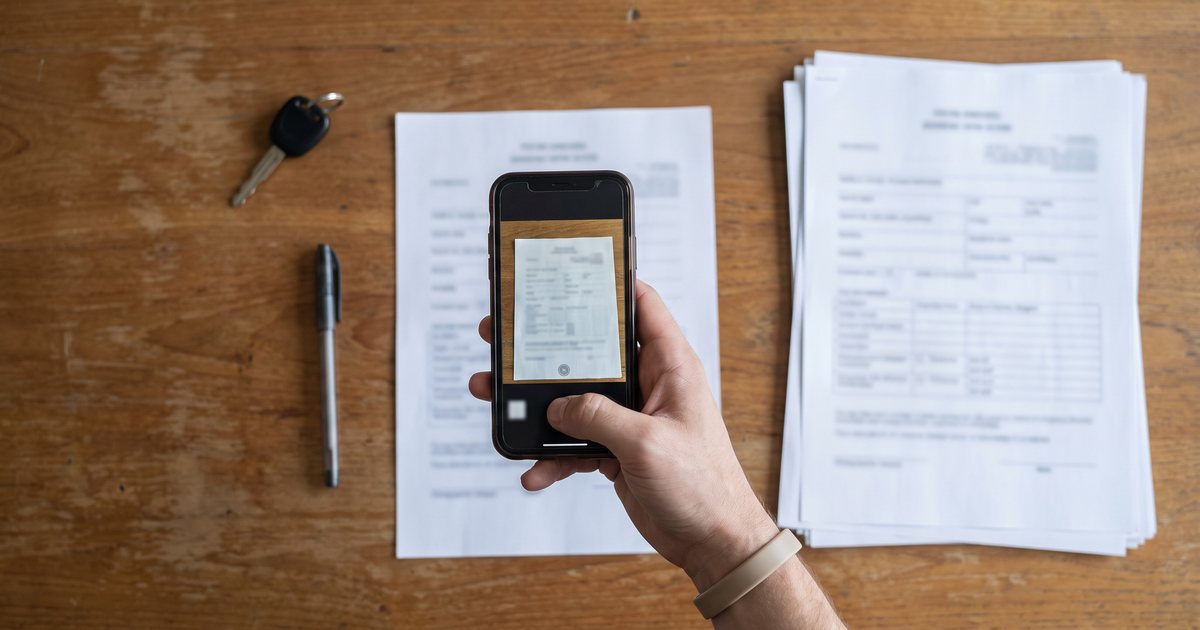
Short answer: Don't scan everything. Move live work first: open bookings and the deposits you hold, then clean customer and vehicle lists. Import past contracts only as history. Use AI scanning to skip retyping, check every field against the paper, and run both systems side by side briefly.
Moving from paper contracts or a spreadsheet to rental software isn't a scanning project. It's a migration, and what is live today has to land first and land right.
Key Takeaways
- Migrate by risk, not by date. Open bookings and held deposits are the records that cost money if they are wrong.
- Build the fleet list before anything else. Contracts point at cars, and a good import matches cars by plate rather than inventing new ones.
- De-duplicate customers first, on phone number, then email, then name.
- AI scanning reads; you check. Do one contract at a time and compare every field with the paper.
- Past contracts are history: no deposit, and no revenue posted a second time.
- Keep paper until your scans are tested. The IRS allows destroying originals only after you've tested your electronic storage and put procedures in place.
Last verified: October 2026. Record-keeping rules vary by country and tax authority; this is operator guidance, not legal or tax advice.
What to migrate and what to archive
Not every record deserves a place in the new system. Sort them by what you will actually do with them.
| Record | Migrate as | Why |
|---|---|---|
| Open and upcoming bookings | Live contracts | You will check these cars out and in, and bill them |
| Deposits you are holding now | Held deposits on those contracts | You owe this money back |
| Active and repeat customers | Customer records | Repeat bookings, ID checks, blocklists |
| Vehicles | Fleet records | Every contract points at a car |
| Recent past contracts (your cutoff) | Completed history | Customer history, disputes, damage claims |
| Older paper | Archive, scanned or boxed | Retention rules, rarely needed |
How long you keep the archive is a legal question, not a storage one. The IRS says to keep most records for 3 years, 6 years if you failed to report income worth more than 25% of the gross income on your return, 7 years for a bad-debt or worthless-securities deduction, and employment tax records for at least 4 years. Personal data pulls the other way: the UK's data regulator says you must not keep personal data longer than you need it, and should have a policy with standard retention periods.
Triage order: open bookings, held deposits, customers, vehicles, history
There are two orders here, and confusing them is the classic mistake.
Priority order (what hurts if it is wrong): open bookings, held deposits, customers, vehicles, history.
Build order (what the software needs first):
- Vehicles, because every contract references a car.
- Customers, de-duplicated.
- Open and upcoming bookings, each with its held deposit.
- Recent history, if you want it.
So you plan by priority and build by dependency. Check the open bookings and held deposits twice; let the history import be "good enough."
Clean your lists first
Vehicles via CSV
Whatever system you move to, prepare the fleet as a spreadsheet: plate exactly as registered, VIN, make, model, year, color, current odometer, rate class and status. Normalize plates (no stray spaces or dashes), because matching depends on them. In the US, NHTSA's free online VIN decoder shows the information encoded in a VIN, and rental software can often fill make and model for you, which we cover in our post on plate and VIN lookup.
Customer de-duplication
Paper files and spreadsheets breed duplicates: "Alex Carter" in 2024, "A. Carter" with a new phone in 2025. Before importing:
- convert phone numbers to one international format;
- lowercase email addresses;
- merge records that share a phone or email, keeping the newest details;
- flag same-name records with different contact details for a human to decide.
Don't count on an import tool to do this for you. In CarCEO, the customer import maps your columns automatically and won't create a second customer with an email address that already exists (that row is reported as failed), but it doesn't de-duplicate by phone, so clean phone numbers before you import.
Coming from a spreadsheet instead of paper
If your records live in Excel or Google Sheets, you can skip scanning but not cleaning. Before any import:
- turn formulas into plain values and unmerge merged cells;
- use one date format throughout, ideally year-month-day, so 03/04 can't be read two ways;
- put the currency in its own column instead of inside the amount;
- split open bookings into their own sheet so they can be checked line by line;
- keep one row per contract and one row per customer, never both mixed on one sheet.
A spreadsheet that survives those five steps imports cleanly into almost any system. One that doesn't will import its mistakes faster.
Scanning paper contracts with AI
How it works
You photograph or scan one contract. An AI model reads the customer, the car, the dates and the amounts, then shows you a form to check before anything is saved. Scanning tips that make any AI reader more reliable:
- shoot flat, well lit and straight on, with the whole page in frame;
- one contract per upload, including the back page if fees are written there;
- a clear phone photo beats a faint photocopy.
As one concrete example, here is how CarCEO's AI contract import, which shipped in October 2026, handles the job:
- You upload one PDF, JPG, PNG, WEBP or HEIC file of up to 7 MB, and one contract is created per import. There is no bulk scanning: every contract gets a human look.
- The AI fills the customer's name, phone and email; the car's plate, make and model; and the contract number, pickup and return dates and times, daily rate, total and deposit.
- The review screen warns, "The AI can make mistakes. Compare every field with the paper before you import," and highlights amounts the AI was unsure about.
- Customers are matched by phone, then email, then name; cars by plate. If no customer matches, the review screen proposes a new customer from the details on the paper; nothing is saved until you press Import contract, and cars are never created by an import.
- Past-dated contracts import as completed history, and importing the same contract twice is refused.
- The uploaded document is sent to the AI provider only to be read and is not stored; only the details you confirm are saved.
Accuracy and why you review every field
AI readers misread the same things people do, only faster. Know where to look:
| Field | What goes wrong | How to check |
|---|---|---|
| Dates and times | Day and month swapped; AM/PM vs 24-hour | Pickup and return should fit the signature date and the rental length |
| Daily rate and total | A 1 read as a 7, a 0 as a 6; the deposit read as the total | Rate times days, plus extras, should equal the total |
| Deposit | Missing, or confused with a prepayment | The deposit line and how it was taken: cash, card or transfer |
| Plate | O read as 0, I as 1, a missing dash | Your fleet list; the import should match a car, never create one |
| Phone | Missing country code | Convert to international format before saving |
| Name | Nickname instead of legal name | The driver license details on the contract |
Treat every field as a draft until you have checked it. No vendor's accuracy claim replaces that review.
Privacy: document not stored
Contracts carry driver license numbers, addresses and signatures, so prefer a tool that reads the image and throws it away, keeping only the fields you confirm. Then apply the Federal Trade Commission's basics: know what personal information you hold, "keep only what you need for your business," protect what you keep, and dispose of paper properly, by "shredding, burning, or pulverizing" it.
Matching rules and duplicates
Customer by phone, email, name; vehicle by plate
Matching decides whether an import builds clean history or a mess. Match on phone first (the most unique), then email, then name (the least reliable, because names collide), and never create a new customer silently. Refuse duplicates the same way: the same contract number twice, or the same car booked twice for the same dates, should stop an import cold.
Cars are never created by an import
A misread plate should never create a phantom car. If the plate on the paper doesn't match a car in your fleet, the import should stop and ask you to add the car first. Insist on that rule in any system you test: the fleet list is the source of truth, and contracts attach to it.
Past contracts as history
No deposit, no revenue re-posting
A contract that ended last spring was already paid, its deposit long since returned, and its revenue is in last year's books. If an import treats it like a new rental, it creates a phantom deposit and counts the revenue twice. Past contracts should land as completed history: no deposit, and no new revenue.
Opening balances are a separate job. Money customers still owe you and deposits you still hold go in as opening balances agreed with your accountant, not by re-importing old invoices; our car rental accounting guide explains why.
Held deposits
Record the deposit you are holding right now
For every current or upcoming contract, record the deposit you actually hold and how you took it: cash, card or bank transfer. It should show as held on that contract so it can be refunded at return. For contracts that already ended, record nothing.
Card holds need extra care. A pre-authorization placed through your old processor can't be moved into new software, and it expires on the card network's schedule, often about 7 days for online holds. Release or capture old holds where they were placed, and read our guide to deposit hold expiry before you set up holds in the new system. When you are done, held deposits in the new system should equal the cash and holds you can actually account for.
Parallel run and cut-over
- Pick a cut-over date, ideally a quiet weekday.
- From that date, every new booking goes into the new system only.
- Contracts that started on paper can finish on paper, but enter each one as it closes.
- Run both for a short, fixed period, and compare every day: cars out, deposits held, money received.
- Train staff on check-out and check-in before cut-over, not after.
- Archive the paper in date order.
The daily comparison in step 4 is what catches a missing contract before it becomes a missing car:
| Daily check | Old records | New system | If they differ |
|---|---|---|---|
| Cars currently out | Open paper contracts | Active contracts | Find the missing contract before closing |
| Deposits held | Cash box count and open card holds | Held deposits total | Recount, then check holds in the old processor |
| Money received today | Receipts and bank feed | Payments recorded | Enter the missing payments |
| Bookings in the next 7 days | Diary or booking sheet | Upcoming contracts | Import the missing bookings |
When the numbers match several days in a row, stop the old system.
Be careful with step 6 in the US. The IRS revenue procedure on electronic storage (Rev. Proc. 97-22) requires scanned records to be accurate, complete, indexed and legibly reproducible. It permits destroying the paper originals only after you have tested your storage system and put procedures in place to keep it compliant, and it lists keeping hardcopies that are illegible or can't be transferred accurately as a recommended practice.
Common mistakes
The big traps are covered above: importing everything, starting with history, letting imports create cars, trusting AI output blindly and shredding too early. Four more catch people at cut-over:
- Changing prices or terms in the same week. Two changes at once make it impossible to tell a migration error from a pricing change.
- Leaving booking channels pointed at the old system. Website forms, phone scripts and email templates keep feeding the old diary, and a car gets booked twice.
- Keeping no read-only copy of the old records. Save an untouched export of the spreadsheet or old system on cut-over day, so you can always answer "what did we have?"
- Having no single owner. One person should own the daily reconciliation until the numbers match.
If you are still choosing a system, our guide to choosing car rental software, our comparison of the best car rental software and the honest spreadsheet vs software comparison are good starting points, and the companion post on reducing paperwork with digital contracts covers going paperless from here on.
FAQ
Can AI read handwritten rental contracts?
Often, if the writing is clear and the photo is sharp. Handwriting is where misreads happen, especially digits and dates, so check every field against the paper before saving.
Do I have to keep the paper originals?
It depends on your tax authority. In the US, IRS rules allow destroying originals only after you have tested your electronic storage and put procedures in place. Keep paper for anything your scan can't reproduce legibly.
Should I import every old contract?
No. Import open and upcoming contracts as live records, recent contracts as history if they are useful, and archive the rest. Old personal data you no longer need is a liability, not an asset.
What happens to deposits I'm holding during the switch?
Record each one on its contract in the new system, with the method you used. Card holds placed in the old processor stay there and expire on the network's schedule, so release or capture them where they were placed.
Is it safe to upload contracts with ID details?
It can be, if the tool doesn't keep the uploaded file and stores only the fields you confirm. Ask any vendor that question directly, and shred the paper you no longer need.
Import your first paper contract free. Upload a photo or PDF, check what the AI read, and it becomes a real contract matched to your customers and fleet. Free for up to 2 vehicles: start free.
Product details reflect CarCEO as of October 2026. Sample names are fictional.
Sources
- How long should I keep records? — IRS, page updated June 30, 2026, accessed October 2026
- Rev. Proc. 97-22, electronic storage systems (Internal Revenue Bulletin 1997-13) — IRS, accessed October 2026
- Protecting Personal Information: A Guide for Business — Federal Trade Commission, accessed October 2026
- Principle (e): Storage limitation — Information Commissioner's Office, accessed October 2026
- VIN decoder — National Highway Traffic Safety Administration, version 4.07 updated July 18, 2026, accessed October 2026