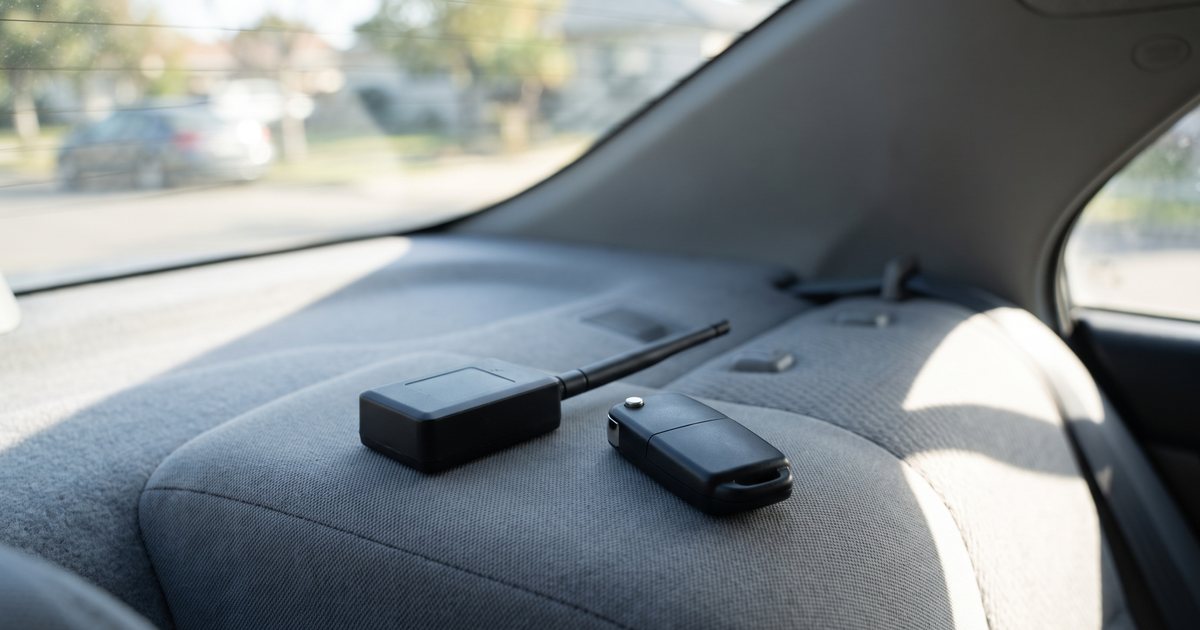
Short answer: A connected-car API reads data the car already sends its manufacturer (odometer, charge, location, lock state) with no installation, as long as the model is supported and the owner authorizes access. A GPS tracker needs installing, but it works on almost any car and doesn't depend on the automaker's service.
Many newer cars already carry a modem that reports to the manufacturer. Connected-car APIs let you read that data instead of installing your own box, but they are not a drop-in replacement for a GPS tracker.
Last verified: October 2026 against Tesla's developer documentation, Smartcar's documentation and the legal sources listed at the end. API terms and firmware requirements change, so re-check before you budget.
Key Takeaways
- There are four routes to vehicle data: an automaker (OEM) API, an aggregator API that covers many brands, an OBD-II dongle, or a hardwired GPS tracker.
- APIs need no hardware but come with conditions: a supported make and model year, an active connected-services account, and the owner's authorization. Readings can lag, so check their timestamp.
- Tesla's Fleet API is pay-per-use. Tesla's docs list a $10 monthly discount, a $0 default billing limit until you add a payment method, and per-vehicle rate limits of 60 data requests, 3 wake requests and 30 commands per minute. Each car must have the application's virtual key.
- Location data is regulated. GDPR names location data as a personal identifier, California's CCPA lists precise geolocation as sensitive personal information, and California Civil Code 1939.23 limits how rental companies use telematics.
- GPS hardware still wins for theft recovery, older or mixed fleets and geofence alerts. Some fleets will need both.
Four ways to get vehicle data
OEM API
The automaker's own data service, covering that brand only. Tesla's Fleet API is the best-documented example. Some automakers also run fleet portals for commercial customers: in November 2021, Ford Pro announced Telematics Essentials, complimentary for the life of gas-powered Ford commercial vehicles with embedded modems, showing odometer readings, diagnostic trouble codes, recalls and maintenance alerts. Check current terms with any automaker before you plan around them.
Aggregator API
One integration that reaches many brands. Smartcar, for example, says it integrates with over 40 OEM brands, and owners link each vehicle through an OAuth consent screen called Smartcar Connect. Its FAQ notes that the car's connected-services account must be active (it gives Volkswagen's Car-Net as an example) and that no hardware is needed. Coverage still varies by make, model and year.
OBD dongle
A small device that plugs into the car's OBD-II diagnostic port. It takes minutes to fit and can report location and some engine data, but anyone with access to the footwell can unplug it, which matters when the person driving is a renter.
Hardwired GPS
A tracker wired in behind the trim, with its own SIM. It costs hardware and an installation, and it is the option that keeps reporting regardless of the automaker's service or anyone's app account. Our GPS tracking guide covers hardware choices, installation and costs in detail.
| Option | Installation | What you typically get | Main limitation |
|---|---|---|---|
| OEM API | None | Odometer, location, charge or fuel, lock state, where the brand exposes them | One brand per integration; owner authorization; readings can lag |
| Aggregator API | None | Similar signals across many brands | Coverage varies by make, model year and connected-services status |
| OBD dongle | Plug-in, minutes | Location and some engine data | Easy to unplug |
| Hardwired GPS | Professional install | Continuous location, ignition events, geofences | Hardware and install cost; one more device to maintain |
What OEM APIs actually give a rental operator
Odometer, charge level, location, lock state
Four readings cover most rental needs: mileage at pickup and return, an EV's state of charge, where the car is, and whether it is locked. Tesla's Fleet Telemetry configuration example includes Odometer, Soc (state of charge), Location, Locked, DoorState and EstBatteryRange among its signals. Smartcar's documentation lists odometer, location and battery level among the vehicle data it can read, plus lock and unlock commands.
Used at handover, those readings turn "the renter says" into a timestamped record. That makes them useful for mileage overage and for an EV charging policy, as long as the reading is taken close to the moment of pickup or return.
What you cannot get
- Guaranteed real-time data. Smartcar includes an sc-data-age header in each response showing when the data was last saved. Tesla's documentation says its vehicle_data endpoint "makes a live call to the vehicle" and that polling it regularly "is not recommended and will be expensive." Its best-practices page recommends checking a car's connectivity before sending paid requests such as vehicle data, commands or wakes, and notes that after a wake request "it may take 10-60 seconds for the vehicle to connect." Wake requests are limited to 3 per minute per vehicle.
- Every car in your fleet. Compatibility depends on brand, model year and connected-services status. Smartcar's FAQ notes that most automakers only started adding internet connectivity around 2014.
- Location without the right permission. Tesla treats location as its own permission (the vehicle_location scope), and its docs note that for firmware 2023.38 and later a location_data parameter is required to fetch location.
- Control that the owner can't revoke. A Tesla virtual key can be removed from the car's Locks screen or the account's security page, which immediately cuts the application's data and commands.
- Stolen-vehicle recovery. An API is a data feed, not a recovery service.
Tesla Fleet API for rental companies
Tesla describes Fleet API as "a data and command service providing access to Tesla vehicles and energy devices" for partners working with their own vehicles or vehicles customers have granted them access to. A developer registers by creating a Tesla account with multi-factor authentication, requesting an application with business details and the scopes it needs, hosting a public key at a fixed path on its own domain, and calling Tesla's register endpoint. Most small fleets won't build this themselves; they use software that has already done it, and then the questions below become questions to ask that vendor.
Data vs commands
Access is split into OAuth scopes, and vehicle owners control which applications they grant access to and can change that at any time. The four scopes that matter most to a rental fleet:
| Scope | What Tesla says it covers | Rental use |
|---|---|---|
| vehicle_device_data | The vehicle's live data, plus service and ownership details | Odometer and state of charge at handover |
| vehicle_location | Precise location, and coarse location for approximate services | Finding a car; regulated personal data |
| vehicle_cmds | Commands such as unlock, wake up and remote start | Remote unlock for contactless handovers |
| vehicle_charging_cmds | Charging history, billed amount, charging location, start and stop charging | Reconciling Supercharger costs with renters |
Virtual key pairing per car
On top of OAuth, Tesla requires a virtual key: "an additional layer of security beyond the authorization flow" that lets an application receive real-time vehicle data and execute commands. The owner adds it to each vehicle in the Tesla app by following a link in the format https://www.tesla.com/_ak/developer-domain (the application's domain goes at the end) or by scanning a QR code. Keys are per vehicle, so every car joining your fleet needs pairing, and every car's key can be removed from inside the car. Make "virtual key still paired" a line on your return checklist.
Metered pricing and rate limits
From Tesla's Billing and Limits page, checked October 2026:
- Pricing is pay-per-use, and requests with status codes below 500 count as billable usage. Each endpoint's pricing category is listed in the API reference.
- A monthly discount of $10 is provided "to support individual developers/small applications."
- Billing cycles are monthly, and bills are charged automatically 14 days after the end of the month.
- Each account starts with a billing limit of 0, which can be raised once a payment method is added. Tesla notifies at 80% and 100% of the limit; if the limit is exceeded, API usage is suspended and Fleet Telemetry streaming configurations are removed.
- Rate limits per device, per account: 60 real-time data requests, 3 wake requests and 30 device commands per minute.
For a rental fleet the pattern matters more than the price list. Reading a car at pickup and at return costs a handful of requests per rental; polling every car every few minutes all day does not. We have not quoted per-request prices here because Tesla publishes them per endpoint and they can change, so check the API reference before you budget.
Fleet Telemetry
Fleet Telemetry lets vehicles stream data to a server the developer hosts on the public internet, instead of being polled. Tesla's requirements include a paired virtual key and firmware 2024.26 or later (Model S and X with Intel Atom processors need 2025.20 or later), and Tesla says streaming "prevents unnecessary vehicle wakes and battery drain."
Separate charging endpoints return a vehicle's charging history and a PDF invoice for a charging event. A charging sessions endpoint with pricing and energy data is "only available for business accounts that own a fleet of vehicles." For a rental operator, that is the paper trail for passing Supercharger costs through to renters.
Use at pickup and return
Odometer and charge proof
Take the reading at the moment of handover and store it with its timestamp next to your dashboard photo. If the two disagree, find out why before you bill anything, starting with the timestamp on the API reading. Keep the photo routine even with an API, because it covers the cars and the moments the API can't.
Lock/unlock proof
A "locked" reading after a key-drop return helps show the car was secured. Remote unlock can support keyless pickups, but test it in your worst-signal location, such as an underground garage, and keep a physical fallback. Our contactless car rental guide covers the rest of a keyless handover.
Renter privacy and consent
Location data rules
- EU and UK-style privacy law. GDPR's definition of personal data names "location data" as one of the identifiers that can make a person identifiable, so trip locations tied to a renter are personal data.
- California's CCPA. It applies to for-profit businesses that have gross annual revenue of $26.625 million or more (the figure effective January 1, 2025; California adjusts these thresholds every two years, so check the current number), buy, sell or share the personal information of 100,000 or more California residents or households, or earn half or more of their revenue from selling or sharing it. For covered businesses, "precise geolocation" is sensitive personal information that consumers can limit.
- California rental-company rules. Civil Code section 1939.23 bars rental companies from using information obtained through electronic surveillance technology except in listed situations, such as locating a vehicle that is stolen, abandoned or missing under specified conditions, responding to an AMBER Alert, or responding to law enforcement with a subpoena or warrant. It permits using the technology to determine departure and return times, total mileage and fuel level, and it prohibits tracking a renter to impose fines or surcharges.
In practice: disclose telematics in your agreement and at the counter, collect only what you use, limit which staff can see location data, set a retention period, and get advice for each state you operate in. This is operator guidance, not legal advice.
When a GPS tracker is still better
Theft recovery, older cars, geofence alerts
A tracker reports whether or not the automaker's service is up, whether or not anyone revoked an API key, and whether the car was built in 2012 or 2026. It can be hidden from a thief, it gives continuous location rather than on-request readings, and it drives geofence alerts when a car leaves its permitted area. For mixed fleets and higher-risk vehicles, that independence is the point.
CarCEO connects to trackers from Traccar, Flespi, Wialon, GPSWox, Mapon, Navixy and OwnTracks, or by webhook. See the pricing page for which plan includes GPS.
Decision matrix
| Your situation | Best fit | Why |
|---|---|---|
| All-Tesla fleet; you want odometer and charge at handover | Tesla Fleet API through an approved app, plus photos | No install; reading at handovers keeps metered usage low |
| Mixed makes, mostly recent models | Aggregator API, checked VIN by VIN | One integration across brands; coverage varies |
| Older cars or high theft risk | Hardwired GPS | Works on almost any car; independent of automaker services |
| Short pilot or seasonal cars | OBD dongle | Fast to fit and move, but easy to unplug |
| You need recovery and EV data | GPS tracker plus an API | Each covers the other's gaps |
Implementation checklist
- List every vehicle by VIN, make, model year and connected-services status.
- Decide the minimum data you need (usually odometer, fuel or charge, and lock state at handover) and whether you need location at all.
- Check API coverage for each VIN before you commit, and budget trackers for the rest.
- Keep cars on a company-controlled automaker account, and pair keys or authorizations car by car.
- Set a billing limit and alerts wherever usage is metered.
- Add a telematics clause to your rental agreement: what is collected, why, how long it is kept and who sees it.
- Restrict and log staff access to location data.
- Keep photo evidence at every handover as the fallback.
- Test a full pickup and return in a low-signal spot.
- Review the setup each quarter, because API terms, firmware rules and privacy laws change.
For the operational side of running the fleet itself, our fleet management overview shows how maintenance, utilization and vehicle records fit together, and car rental software pricing compares what operators pay for the software layer.
Keep the evidence on every contract. CarCEO records odometer and fuel or charge readings at pickup and return, stores inspection photos with the contract, and runs your bookings, e-signatures and payments in one place. It's free for up to 2 vehicles. Start on the free Starter plan or see how CarCEO works for rental companies.
FAQ
Does the Tesla Fleet API cost money?
Yes. Tesla bills Fleet API usage pay-per-use, with a $10 monthly discount for small applications. Accounts start with a $0 billing limit that you raise after adding a payment method, and per-endpoint pricing categories are listed in Tesla's API reference.
Can I read a rental car's odometer without installing hardware?
Often, yes, if the make and model year are supported by an OEM or aggregator API, the car's connected-services account is active and the owner authorizes access. For other cars you need a dongle, a tracker or a dashboard photo.
What is a Tesla virtual key?
A key that a third-party application adds to a specific vehicle, through a tesla.com link or QR code opened in the Tesla app, so the application can receive real-time data and send commands. It can be removed at any time from the car's Locks screen or the owner's account security page.
Do I need a renter's consent to collect location data?
It depends on where you operate and how big your business is. Disclose telematics in your rental agreement in any case, collect only what you need, and get local advice. In California, Civil Code 1939.23 limits how rental companies may use telematics data.
Is a GPS tracker or a connected-car API better for theft recovery?
A GPS tracker. It is independent of the automaker's service and the owner's app account, it can be hidden, and it reports continuously. An API is better at clean handover readings on supported cars.
Sources
- Tesla Developer: What is Fleet API, accessed October 2026
- Tesla Developer: Billing and limits, accessed October 2026
- Tesla Developer: Best practices, accessed October 2026
- Tesla Developer: Virtual keys overview, accessed October 2026
- Tesla Developer: Authentication overview and scopes, accessed October 2026
- Tesla Developer: Fleet Telemetry, accessed October 2026
- Tesla Developer: Vehicle endpoints, accessed October 2026
- Tesla Developer: Charging endpoints, accessed October 2026
- Smartcar Docs: Introduction, accessed October 2026
- Smartcar Docs: FAQs, accessed October 2026
- Automotive Fleet: Ford Pro offers complimentary access to OEM telematics services (November 11, 2021), accessed October 2026
- GDPR Article 4, definitions (gdpr-info.eu), accessed October 2026
- California Privacy Protection Agency: CCPA FAQ, accessed October 2026
- California Civil Code section 1939.23 (FindLaw), accessed October 2026
CarCEO is independent software and is not affiliated with Tesla, Smartcar or Ford. This guide is a neutral explainer of their published documentation; it does not describe CarCEO features except where it says so. It is operator guidance, not legal advice.